
Ink Player Review: A WordPress Video Player for Affiliate Marketers and Bloggers
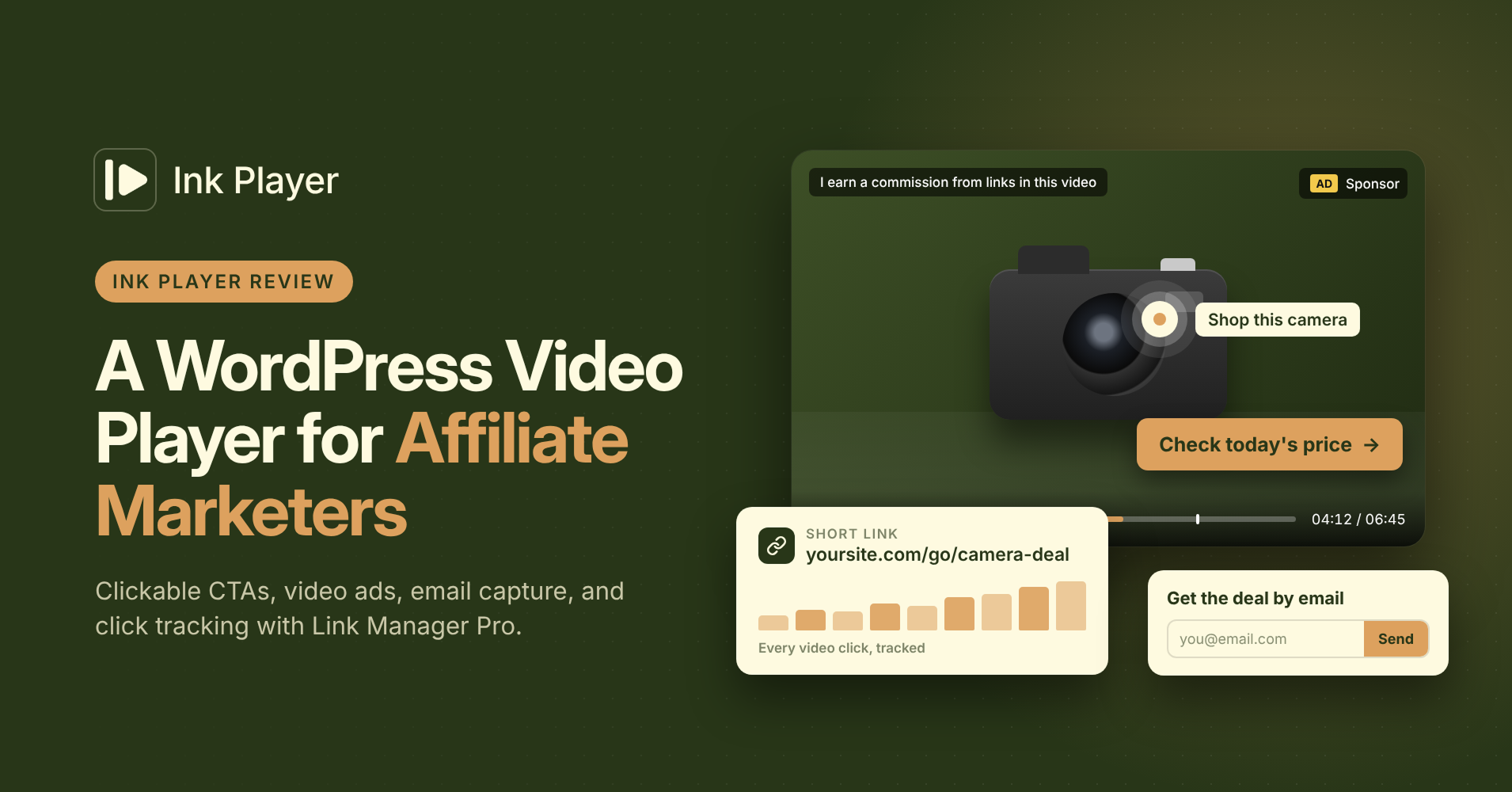
You make a great product video. Then you upload it to YouTube, and YouTube decides what your viewer clicks next. Often, it’s someone else’s video.
A WordPress video player for affiliate marketers should do the opposite. It should keep viewers on your page, put your affiliate links inside the video, and show you which links get clicked. Ink Player handles the first two on its own and pairs with Link Manager Pro for the third.
This review is for affiliate marketers, bloggers, and publishers who earn from links, sponsors, and email lists. We’ll cover overlays, ads, email capture, click tracking, and disclosure, then give you a straight verdict.
Key takeaways
- Ink Player puts clickable CTAs, hotspots, and banners inside your videos, timed to the moment you choose.
- You can run VAST or VMAP ad tags, or your own sponsor clips, as pre-roll, mid-roll, and post-roll.
- The Email capture overlay sends leads to Mailchimp, MailerLite, ActiveCampaign, FluentCRM, or a webhook.
- Link Manager Pro short links count every click on your video CTAs.
What affiliate marketers need from a video player
A video player for affiliate content has one job: turn attention into action. The click has to happen on your page, inside your video, at the moment the viewer cares most.
Five things make that possible.
- You need clickable links inside the video
- A way to earn from ads or sponsors
- A way to capture emails from viewers who aren’t ready to buy
- You also need click tracking, so you know which videos earn
- An easy way to disclose your affiliate relationships
A plain YouTube or Vimeo embed covers almost none of that. Ink Player plays the same YouTube or Vimeo video inside your own branded player. The overlays, links, and leads on top are yours.
Ink Player in 60 seconds
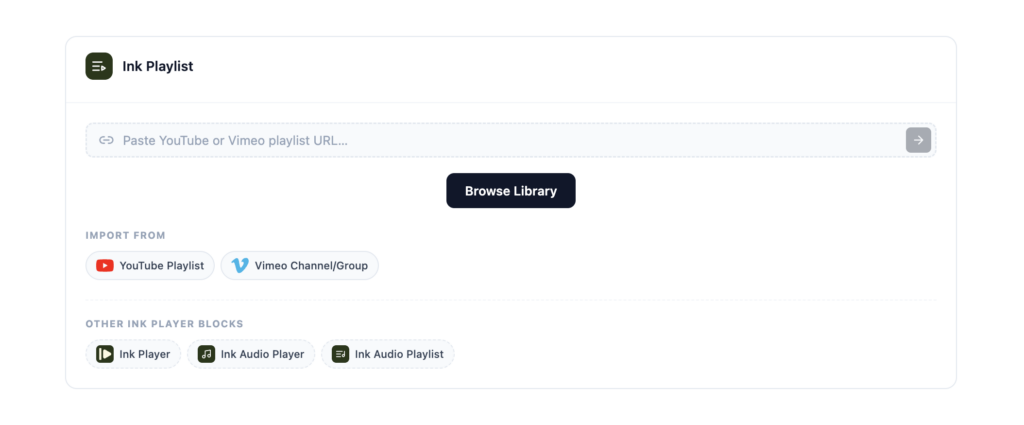
Ink Player is a WordPress plugin from Brighter Fox that gives you one branded player for every video and audio source. It plays self-hosted uploads, direct MP4, HLS, and DASH files, YouTube, Vimeo, Bunny.net, Mux, Cloudflare Stream, and Cloudflare R2. Paste a URL and it detects the source for you.
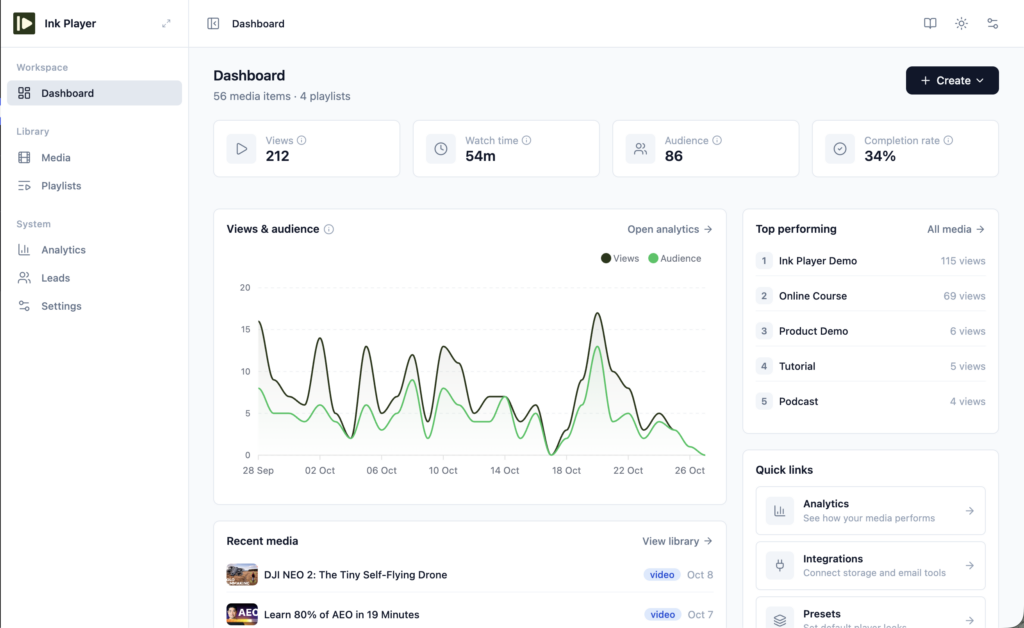
Every video lives in a media library as a single record. You place it with a Gutenberg block, an Elementor widget, a Beaver Builder module, or a shortcode like . Edit the record once, and every post that uses it updates.
That matters more for affiliates than it sounds. Say a merchant changes its offer or your program moves to a new network. You update the CTA on one video, and every review, roundup, and comparison post that embeds it shows the new link.
Put clickable affiliate links inside your videos
Ink Player has nine overlay types, and four of them are built for clicks. Each one can show always, while the video plays, while it’s paused, after a set percentage, or within a time or percentage range. You can drop it in one of nine preset positions or set your own X and Y coordinates.
CTA overlay
The CTA overlay is a button inside the video. Show “Check today’s price” right after the demo, and the viewer clicks without scrolling or hunting for a link. Point it at a Link Manager Pro short link and you can count every click.
Action bar
The Action bar is a strip across the video with a message and a button. It works well for an offer that should stay visible, like a coupon code. It can also show a YouTube subscribe button if you grow a channel alongside your blog.
Hotspots
A hotspot is a clickable area placed on the frame. Put one over the product while it’s on screen, and the viewer clicks the thing they’re looking at. Hotspots can also jump to a timestamp or pause the video, which helps in longer walkthroughs.
Image and banner overlays
The Image/Banner overlay shows a graphic, like a sponsor’s banner or a product shot, linked anywhere you want. Turn on the optional Ad badge to label it as paid. Most overlays can be skippable, so viewers can close a banner and keep watching.
| Overlay | Best for | Example timing |
|---|---|---|
| CTA | One clear offer at the right moment | After 60% of the video |
| Action bar | A coupon or offer that stays visible | Always |
| Hotspot | Linking the product on screen | 01:10 to 01:40 |
| Image/Banner | Sponsor spots and product graphics | While paused |
Two more features help reviews convert. Chapters let viewers jump straight to the part they care about, like pricing or the verdict. The [ inkp_timestamp time="01:30" text="See the pricing" ] shortcode adds a link in your article that skips the player to that moment.
Earn from ads and sponsor spots
Ink Player runs linear ads before, during, and after your videos. Pre-roll plays first, mid-roll plays at a set time or percentage, and post-roll plays at the end. You can set ad breaks for all videos at once, then give any single video its own pre-roll.
Each break can use a VAST or VMAP tag, which Ink Player plays through the Google IMA SDK. That’s the standard route for Google Ad Manager and most video ad networks. Or skip the network and upload your own clip, which suits a sponsor read you sold directly.
Your own clips can be skippable, with a “skip after” delay you choose. Ads run on self-hosted videos, Bunny.net, Mux, and direct video files. Turn them on with the master switch under Ink Player → Settings → Ads.
Turn viewers into subscribers
Not every viewer buys on the first visit. The Email capture overlay asks for an email inside the video, so you can follow up with a deal later. Show it at the halfway mark, when the viewer has already shown real interest.
Every email lands in the Leads table, under System → Leads in the Ink Player menu. It removes duplicate emails and shows which video each lead watched, where they came from, and when. You can add leads by hand too.
From there, Ink Player sends each lead to a Mailchimp audience, a MailerLite group, an ActiveCampaign list, or FluentCRM. Prefer another tool? Send leads to a webhook, which includes the video ID and source URL so you can segment subscribers by the product they watched.
How to track video CTA clicks with Link Manager Pro
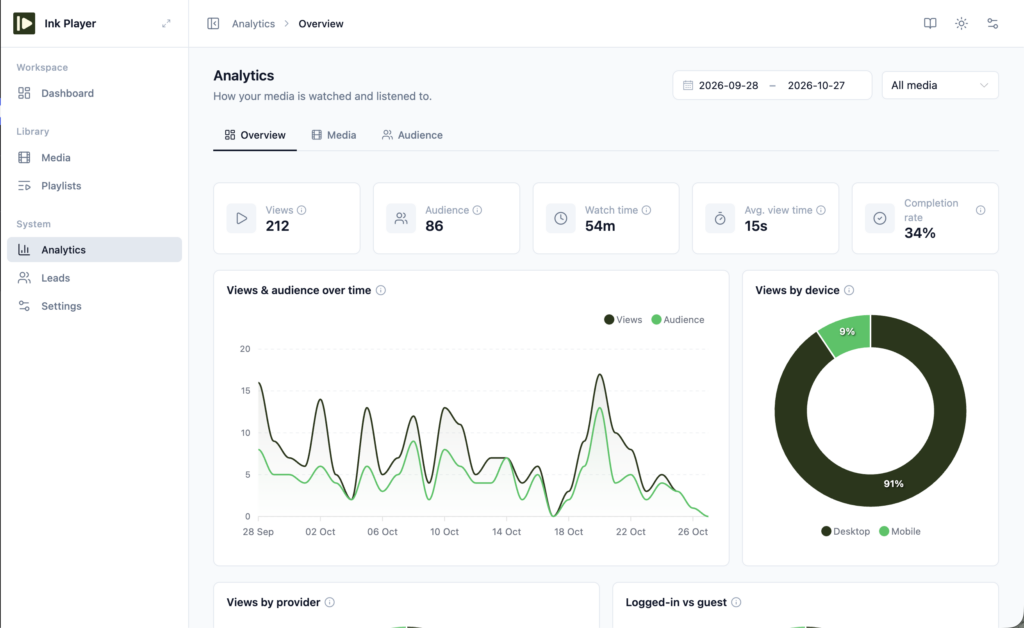
Ink Player’s analytics tell you how people watch. Link Manager Pro tells you what they click. Put the two together and you know which videos actually earn.
- Create a short link in Link Manager Pro for your affiliate URL, like yoursite.com/go/camera-deal. Pick a 301, 302, or 307 redirect and set it to nofollow.
- Open the video in Ink Player, add a CTA overlay, and paste the short link as the button URL. Click Save in the bar at the bottom.
- Turn on analytics under Ink Player → Settings → Analytics.
- After a week, compare the numbers. Ink Player shows views, unique viewers, watch time, and completion rate for the video. Link Manager Pro shows total and unique clicks on the short link.
- Divide unique clicks by views to get the video’s click-through rate.
Here’s a simple example. A review video with 1,000 views and 60 unique clicks on its CTA has a 6% click-through rate. Try new button text or show the CTA earlier, and watch that number move.
Use one short link per video so each video’s clicks stay separate. In Ink Player, a view counts one viewer per video per day, and completion means they watched at least 95%. New to short links? Start with our Link Manager Pro overview.
Link Manager Pro can also geo-target a short link. A viewer in the UK can land on your UK store link while a US viewer lands on the US one, from the same CTA. It also scans for dead links, so a retired offer doesn’t sit inside your best video (here’s how to find and fix broken affiliate links).
UTM-tag your share links and embeds
Ink Player gives every video a share link, a standalone page you can post anywhere. It also gives you an embed code that works on sites outside WordPress. Those links travel, so you want to know which ones bring buyers back.
Build a tagged URL with Link Manager Pro’s UTM generator, then wrap it in a short link. Make one version per channel, like utm_source=newsletter and utm_source=facebook. Your analytics tool then splits visits by where they came from.
For video events, add your Google Analytics 4 Measurement ID on the Google Analytics card under Ink Player → Settings → Integrations. Leave it empty if GA4 already runs on your site. Ink Player then sends start, progress at 10, 25, 50, and 75 percent, and complete events, so you can see how far each channel’s visitors watch.
Disclose affiliate links in your videos
If a video earns you a commission, tell your viewers. The FTC’s Disclosures 101 guide says a disclosure for a video endorsement belongs in the video itself, not just in the description. Its Endorsement Guides FAQ covers the details.
Ink Player makes this easy. Add a Text overlay at the start that says “I earn a commission if you buy through links in this video.” Then turn on the Ad badge for any sponsor banner, so viewers know it’s paid.
On the page around the video, Link Manager Pro adds an affiliate disclosure in one click and sets nofollow on your short links. This isn’t legal advice, so check the rules for your country and for each affiliate program you join.
The one catch: Ink Player is new
Ink Player is a young plugin. It doesn’t have years of reviews, forum threads, and tutorials behind it yet. You’ll find fewer third-party guides than you would for older players.
The risk is small, though. Every plan comes with a 30-day money-back guarantee, so you can set it up on a real post, run your CTAs and ads, and check your click numbers. If it doesn’t earn its place, you can request a refund.
Pricing
Every Ink Player plan includes every feature. The only difference is how many sites you can use it on. Lifetime plans get lifetime updates, and annual plans get a year of updates.
| Plan | Sites | Lifetime | Annual |
|---|---|---|---|
| Starter | 1 | $149 | $79/year |
| Pro | 10 | $299 | $159/year |
| Agency | 30 | $499 | $299/year |
The lifetime plans may not last forever, so hurry up and grab your deal.
Verdict: who should use Ink Player
Ink Player suits affiliate marketers and bloggers who want their videos to earn on their own site. If you publish reviews, roundups, or tutorials with video, it gives you clickable CTAs, sponsor slots, and email capture in one player. Pair it with Link Manager Pro and you can see which videos drive clicks.
The Starter plan covers a single site. The Pro and Agency plans make sense if you run a portfolio of niche sites. If you only post the odd video and never link from it, a free YouTube embed is probably enough for now.
Ready to try it? Get Ink Player, or watch the demo first.
Frequently asked questions
What should a WordPress video player for affiliate marketers do?
It should put clickable links inside the video, support ads, capture emails, and work with click tracking. Ink Player covers the first three with CTA, hotspot, and banner overlays, VAST and custom ad breaks, and an Email capture overlay. Pair it with Link Manager Pro to track every click.
Can I put affiliate links inside a YouTube video on WordPress?
Yes. Ink Player plays YouTube videos inside its own player, so you can add CTA, Action bar, hotspot, and banner overlays on top. Each one can link to your affiliate URL or a short link. Paste the YouTube URL into a new media item and Ink Player detects the source.
Does Ink Player track clicks on overlays?
Ink Player’s built-in analytics track views, unique viewers, watch time, average view time, and completion rate. To count clicks on a CTA or banner, point it at a Link Manager Pro short link. Link Manager Pro then records total and unique clicks for that link.
Can I run Google ads on my WordPress videos?
Yes. Ink Player accepts VAST and VMAP ad tags and plays them through the Google IMA SDK, which works with Google Ad Manager. You can set pre-roll, mid-roll, and post-roll breaks for all videos or per video. Turn ads on under Ink Player → Settings → Ads first.
Do I need to disclose affiliate links in my videos?
Yes. In the US, the FTC expects a clear disclosure when you earn from a recommendation, and it says video disclosures belong in the video itself. Add a Text overlay at the start of the video and keep a written disclosure on the page. Check each affiliate program’s rules too.
Can I collect emails from video viewers?
Yes. The Email capture overlay asks for an email inside the video, at the moment you choose. Leads go to the Leads table, which removes duplicates, and can go on to Mailchimp, MailerLite, ActiveCampaign, FluentCRM, or a webhook. A follow-up email can bring back viewers who weren’t ready to buy.
Can I show a video in a popup?
Yes. Ink Player can open any video in a popup lightbox from a poster image, a button, or a text link. Nothing loads until the visitor clicks, which keeps the page light. The video can play with sound, because the visitor started it.
Does Ink Player work with my page builder?
Ink Player has four Gutenberg blocks, an Elementor widget, and a Beaver Builder module. You can also use shortcodes like and anywhere shortcodes work. For sites outside WordPress, the embed code keeps the player’s skin, overlays, and settings.
Can I switch from Presto Player or FluentPlayer?
Yes. Ink Player imports media, presets, playlists, collected emails, analytics history, and settings from Presto Player and FluentPlayer. The import never touches the old plugin or your pages, and you can undo it. Afterward, it lists the pages that still use old embeds, each with a ready replacement shortcode.
Is there a money-back guarantee?
Yes. Every Ink Player plan comes with a 30-day money-back guarantee, so you can test it on live posts first. Request a refund through the contact form at inkplayer.com/contact. Renewal payments aren’t refundable.